As a follow-on to my previous post about how to create subsites using the SharePoint REST API, I encountered a scenario where a customized master page was already in existence and I needed to apply that to subsites created with my provisioning workflow.
<insert quick note about Microsoft Patterns & Practices>
Microsoft’s Patterns & Practices are awesome as they provide you with prescriptive guidance for how to customize SharePoint without encountering future collisions with the product team’s development path. However, there may be times where you deviate from that guidance (such as not touching the master page) and require a solution for changing the master page.
</end PNP guidance>
So, let’s get down to business.. You’re going to want to build a few dictionary variables:
1. MetadataMasterPage
| Name | Type | Value |
| type | String | SP.Web |
2. RequestHeadersMasterPage
| Name | Type | Value |
| accept | String | application/json;odata=verbose |
| content-type | String | application/json;odata=verbose |
| X-HTTP-Method | String | MERGE |
| IF-MATCH | String | * |
3. JSONMasterPage
| Name | Type | Value |
| __metadata | Dictionary | Variable:MetaDataMasterPage |
| MasterUrl | String | /sites/yoursite/_catalogs/masterpage/oslo.master |
| CustomMasterUrl | String | /sites/yoursite/_catalogs/masterpage/oslo.master |
*Now clearly you wouldn’t always point your MasterUrl & CustomMasterUrl to oslo, this is just an example. You would provide the actual path to the master page you are setting.
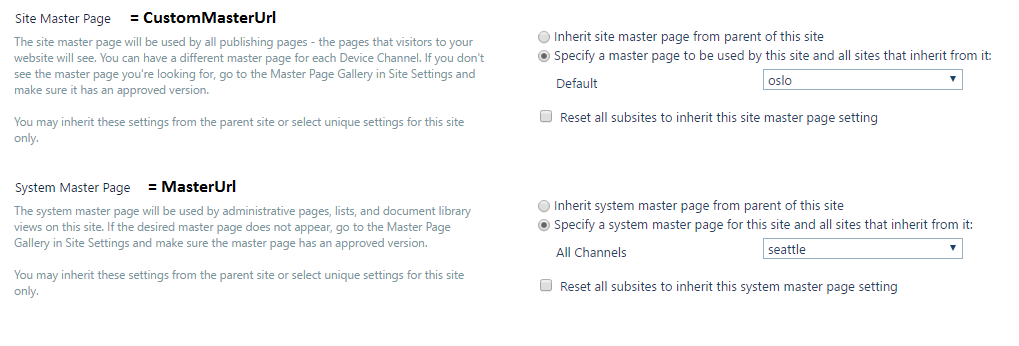
Another point – there’s two master pages – the Site Master & System Master. See the image below to figure out which one is which:
(Also note – you have to include both in your dictionary variable even if you’re just setting one to a different value)
Now all you have to do is create an App Step and include a “Call HTTP web service action” within it.
The URL is going to be: http://pathtotheURL/_api/web and the HTTP method will be POST.
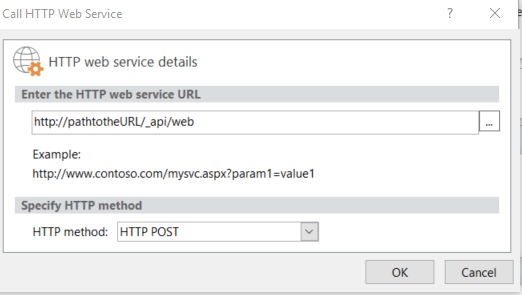
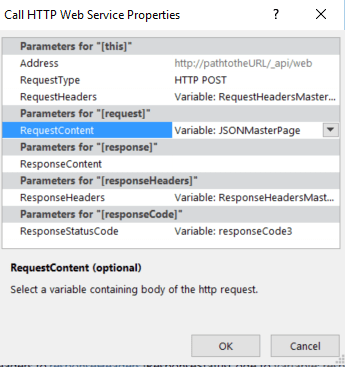
Click the OK button, then right click the workflow action and select properties.
1. RequestHeaders = Variable:RequestHeadersMasterPage
2. RequestContent = JSONMasterPage
3. ResponseHeaders = new Dictionary, call is ResponseHeadersMasterPage
That’s it! Go ahead and run your workflow and behold the power of the SharePoint REST API. It’s awesome! 🙂
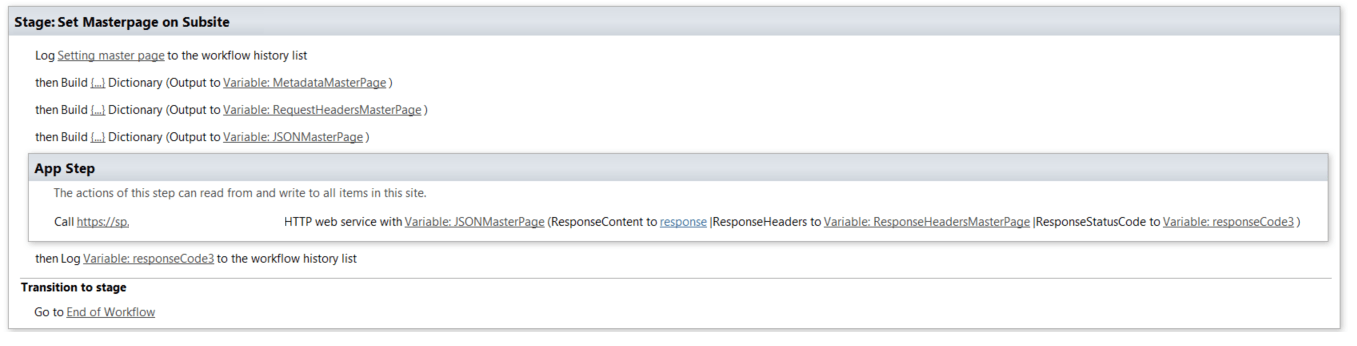
Here’s what the full workflow looks like with my URL blurred out:



 Jared's Copilot Corner
Leave a Reply